Online fundraising and donations How to raise money via the foundation’s website
Online payments, recurring donations, 1.5% tax (even without public benefit organisation status), which effectively boosts conversion rates, the GDPR and the fundraising calendar – a practical pre-season guide. As at: September 2026

In a nutshell
Having your own website is the cheapest fundraising channel: Fundraising platforms charge a commission on every donation and retain donors’ details. A foundation that raises funds via its own website pays only the payment processor and builds its own contact database.
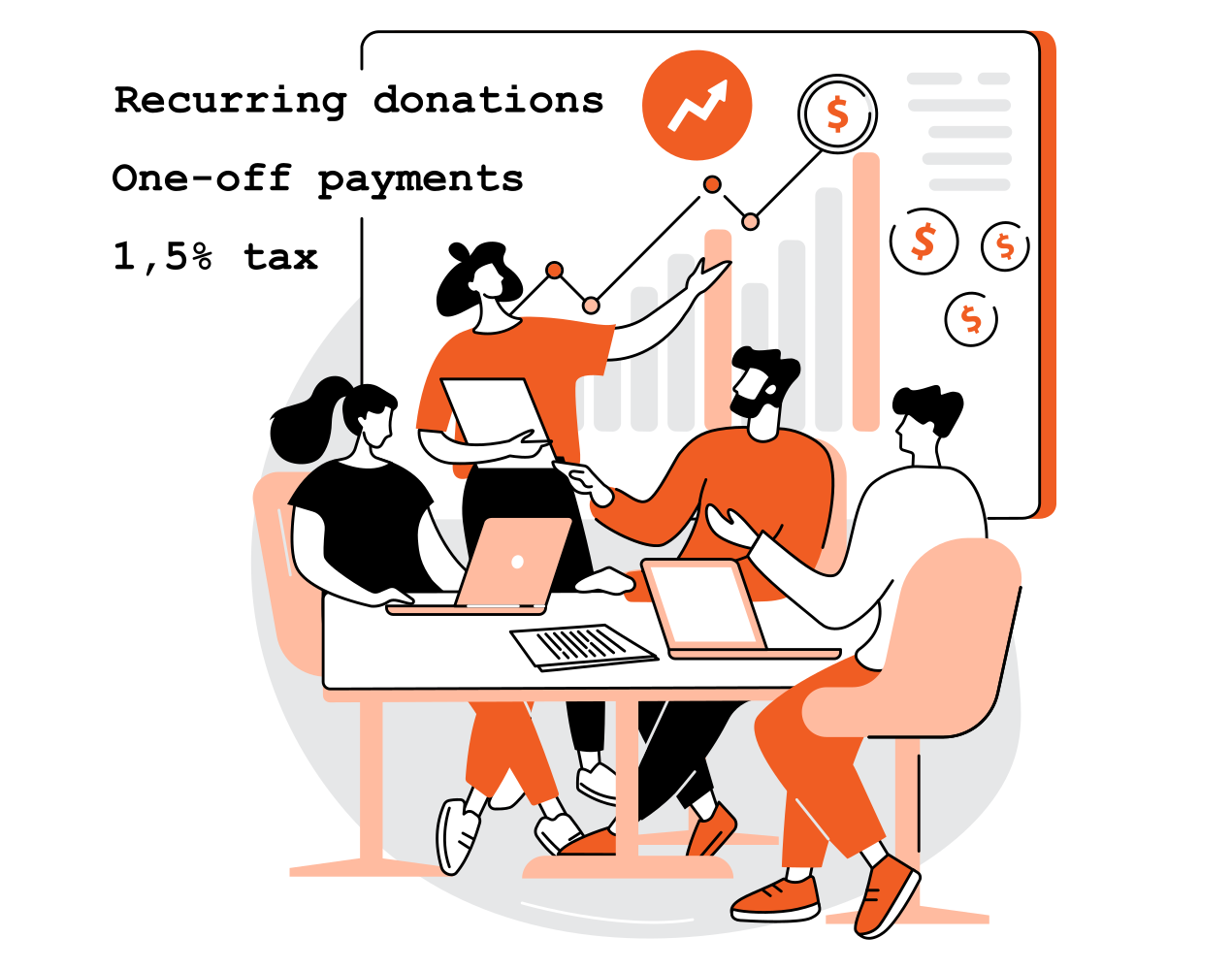
Three sources, three mechanisms: one-off donations (form and payment processor), recurring donations (card with automatic renewal) and 1.5% tax (information, instructions and KRS number displayed prominently).
You can collect the 1.5 per cent even without public benefit organisation (OPP) status: via a partner foundation that holds this status, on the basis of a dedicated sub-account, until you obtain your own status.
The season begins in November: the end of the year sees the peak in donations, whilst February to April is the 1.5 per cent season. A website ready for the season must be published and indexed several weeks in advance.
Why have your own website rather than just using a fundraising platform?
Most Polish charities start out on a fundraising platform – and that’s a sensible first step. The platform provides a ready-made payment system, reach and the credibility of a well-known brand. However, it comes with three costs that begin to take their toll over time.
The first is the commission. Platforms charge between a few and over ten per cent of each donation, sometimes adding an operator’s fee. For a fundraising campaign totalling 100,000 zł, the difference between the platform’s commission and the cost of using the foundation’s own payment provider amounts to several thousand zł – a sum with which the foundation could fund a genuine statutory objective.
The second is data. A donor who has made a donation via a platform is, in effect, a donor to that platform. The foundation often does not receive their email address, cannot thank them personally, and cannot invite them to a future fundraising campaign. Yet it is precisely these returning donors who form the foundation of an organisation’s stable funding.
The third issue is dependency. A change to the terms and conditions, a change in commission rates, or the closure of the platform affects the foundation overnight, without it having any say in the matter.
Having your own fundraising website does not rule out using platforms – it works best when both are used in parallel. But it is the website that should be the destination to which all paths lead: a social media post, a leaflet, a signature in an email. Because only there does the foundation control the message, the costs and the relationship with the donor.
Three sources of online revenue Three different mechanisms
The foundation’s website can raise money in three ways, each of which requires a different technical solution. It is a mistake to treat them as a single ‘donate’ button.
| Source | How it works | What’s needed on the website | When it matters most |
| One-off donation | The donor selects an amount and pays via BLIK, by card or by bank transfer. | A donation form and integration with a payment provider. | Targeted fundraising, end-of-year campaigns, emergency situations. |
| Recurring donation | The donor agrees to a monthly card charge. | Recurring payment provider, subscription management dashboard. | Stable funding, building a base of regular donors. |
| 1.5% tax | The taxpayer designates the foundation on their PIT return. | KRS number, specific purpose, step-by-step instructions, section visible from February. | February–April, although the information must be available on the website beforehand. |
One-off donations are the simplest and most commonly used. Recurring donations are the most valuable – a single donor giving 30 zł a month for three years amounts to over 1,000 zł in predictable income, without the need for further campaigns. The 1.5 per cent tax deduction, on the other hand, is the only source that costs the donor nothing – and therefore requires mainly good communication, rather than a payment mechanism.
An additional incentive for donors is the tax relief: individuals can deduct donations to public benefit organisations up to 6 per cent of their income, whilst companies can deduct up to 10 per cent. It is worth stating this clearly on the website – many donors are unaware of this.
Online payments on the website How it works and what to choose
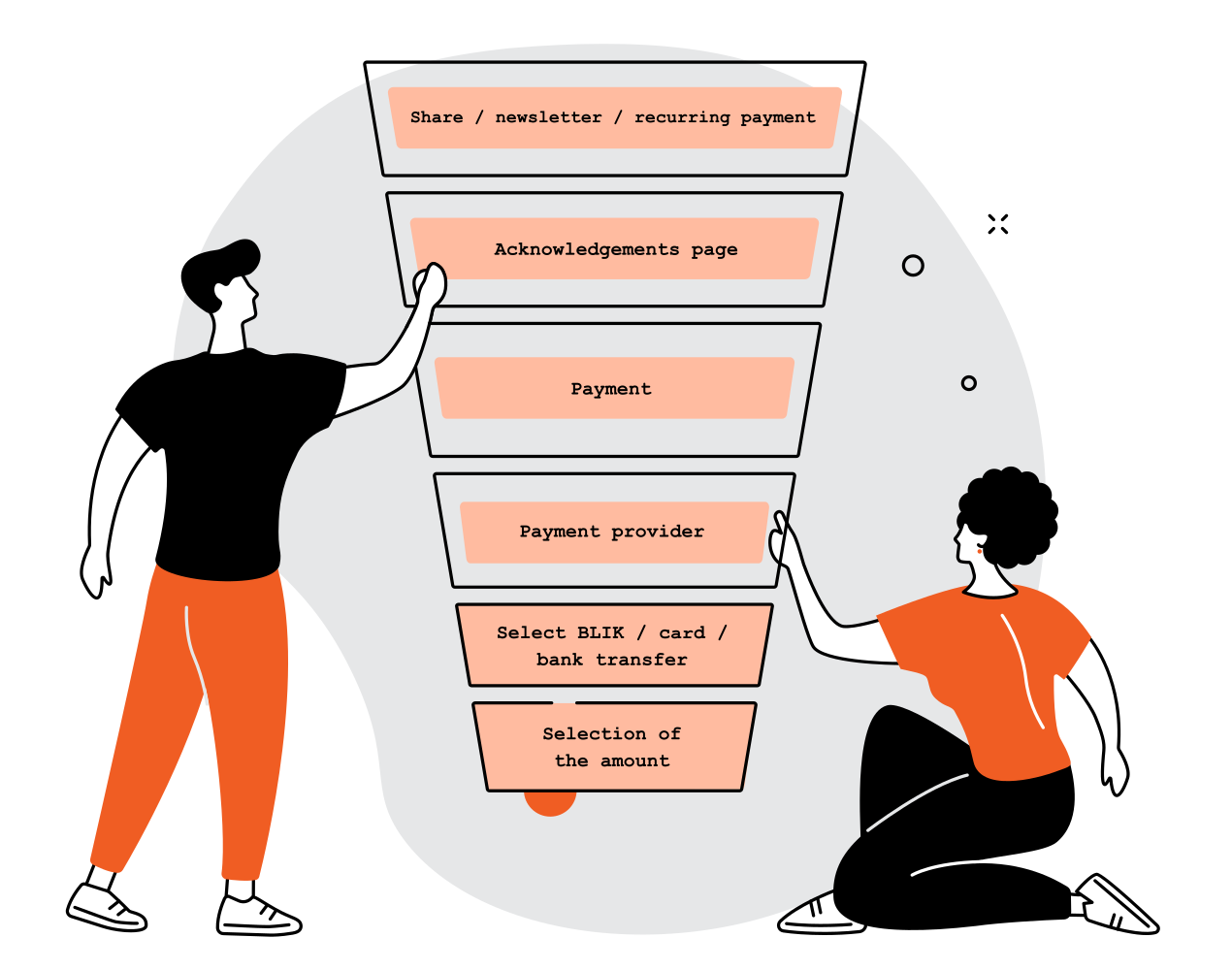
The process is simpler than it seems. The foundation signs a contract with a payment provider (in Poland, this is usually Przelewy24, PayU, Tpay or Stripe), and a donation form appears on the website. The donor selects an amount, enters their details, is redirected to the payment provider’s gateway, pays via BLIK, card or bank transfer, and is then redirected back to the thank-you page. The money is transferred to the foundation’s account, and the payment provider charges a commission – usually between around 1% and 2.5%, depending on the method and the negotiated terms.
 Does it offer special terms for charitable organisations?
Some operators have reduced commission rates for public benefit organisations.
 Does it support BLIK?
Currently the most popular method in Poland for small, spontaneous payments.
 Does it support recurring payments?
Without this, you won’t be able to build a base of regular donors.
 How does the settlement and reporting process work?
The foundation’s accounts must be able to easily allocate donations to specific causes.
From a technical point of view, the donation form should be part of the page, not an external widget. External plugins loaded from third-party domains slow down the site, are sometimes blocked by browser extensions and look out of place – and each of these factors reduces conversion rates. In systems such as TYPO3, the donation form is built as a native content element that an editor can insert onto any subpage – for a specific fundraising campaign, in the footer, or on the homepage.
In our implementations for charities, we use a payment module that displays the fundraising progress in real time – developed in collaboration with the Nadzieja w Nas Foundation, a public benefit organisation on whose board we sit. We state this explicitly because transparency regarding such links is a value in itself within the NGO sector.
1.5 per cent tax How to organise this on the website
A 1.5 per cent tax is the only source of revenue that does not cost the donor a single zloty – the taxpayer simply decides where part of the tax they would pay anyway should go. Therefore, the only barrier here is one of information: the taxpayer must be aware of the foundation, know its KRS number and remember to include it when completing their tax return.
The foundation’s website should therefore have a permanent, easily accessible ‘1.5 per cent’ section containing:
• the KRS number in large font, with a ‘copy to clipboard’ button,
• the specific purpose, if the foundation maintains sub-accounts for particular beneficiaries,
• a brief step-by-step guide for the three most common methods: e-PIT, tax return software, and an accountant,
• information on how the 1.5 per cent from the previous year was spent – this builds trust and encourages people to donate again,
• a version for sharing: a graphic featuring the KRS number, which beneficiaries and volunteers can post on social media.
This section should be visible all year round, but from February until the end of April it is worth highlighting it on the homepage – via a banner, a pop-up window on the first visit, or a permanent banner at the top of the page.
What if the foundation does not yet have public benefit organisation status?
Public benefit organisation status is granted after two years of operation and requires a separate application process. As a result, new foundations miss out on 1.5 per cent for two financial years – and this is often the most difficult period financially.
The solution is to collaborate with a partner foundation that already holds this status: the taxpayer specifies the partner foundation’s KRS number and, as the specific purpose, the name of the new organisation or a particular beneficiary. The funds are channelled into a dedicated sub-account and transferred in accordance with the agreement. This is a legal and tried-and-tested arrangement used by many organisations during the transitional period.
We offer this option as part of our foundation implementation services – in collaboration with the ‘Nadzieja w Nas’ Foundation, which manages beneficiaries’ sub-accounts. We arrange the details on a case-by-case basis, as they depend on the organisation’s profile and its statutory objectives.
What actually boosts fundraising conversion rates
A payment form is only half the battle. The other half consists of a few design decisions that have emerged as recurring themes from our implementations – and which foundations most often overlook.
A specific goal rather than a general request. “Support our work” raises far less than “12,400 zł for a wheelchair for Kuba – 8,150 zł raised”. Donors want to know what the money is going towards and how much is still needed.
A real-time progress bar. A bar showing the amount raised works in two ways: when the total is low, it sparks a desire to help; when it’s high, it sparks a desire to bring the campaign to a close. One condition: it must update automatically after every donation, not manually once a week.
Suggested amounts. Three or four buttons with pre-set amounts (20, 50, 100, 200 zł) plus a field for entering a custom amount. Donors do not have to start from scratch, and the average donation increases when the middle option is slightly higher than the amount they would have donated spontaneously.
As few fields as possible. Every additional field on the form means some donors will drop out. An email address is all that’s needed to make a donation; it’s only worth collecting a postal address if the charity sends thank-you letters by post.
A thank-you page that prompts the next step. After making a donation, a donor is as engaged as they will ever be. This is the moment to ask them to share the fundraising campaign, subscribe to the newsletter or switch to a recurring donation.
Financial transparency. A link to the latest financial report, information on administrative costs, and the names of the board members. Charities that provide this information raise more than those that avoid it – because donors check these details before they donate.
Speed and mobile optimisation. Most impulse donations – after seeing a post or receiving a link – are made on a mobile phone. A website that loads slowly or has a form that’s illegible on a small screen loses these donations for good.
The GDPR and the security of donors’ data
The payment form collects personal data: first name, surname, email address, and sometimes an address and telephone number. The Foundation becomes the data controller for this information, with all the obligations under the GDPR – regardless of whether the payment itself is processed by an external provider.
The minimum requirements for the website are: a privacy notice next to the form, a privacy policy, consent to receive the newsletter via a separate tick box (not linked to the payment), and the ability for donors to exercise their rights – to access, rectify or erase their data.
More important than the documents, however, is where and how the data is stored. If the form saves submissions in the website’s database, that database becomes a target. It is good practice to encrypt stored data at the application level – so that, in the event of a breach or database leak, it remains unreadable. For an organisation that builds trust with its donors, a data breach incident comes at a cost many times higher than implementing security measures. We have described this in more detail in an article on encrypting data from forms in TYPO3. [LINK: Powermail Encryption]
A separate issue concerns data relating to those in care. A charity launching a fundraising campaign for the treatment of a specific child publishes information about that child’s health – a special category of data within the meaning of the GDPR. This requires the explicit consent of the child’s guardians, a reasonable scope of data (excluding full medical records) and a procedure for deleting the data once the fundraising campaign has ended.
What if the foundation does not yet have public benefit organisation status?
Public benefit organisation status is granted after two years of operation and requires a separate application process. As a result, new foundations miss out on 1.5 per cent for two financial years – and this is often the most difficult period financially.
The solution is to collaborate with a partner foundation that already holds this status: the taxpayer specifies the partner foundation’s KRS number and, as the specific purpose, the name of the young organisation or a particular beneficiary. The funds are channelled into a dedicated sub-account and transferred in accordance with the agreement. This is a legal and tried-and-tested arrangement used by many organisations during the transitional period.
We offer this option as part of our foundation implementation services – in collaboration with the ‘Nadzieja w Nas’ Foundation, which manages beneficiaries’ sub-accounts. We arrange the details on a case-by-case basis, as they depend on the organisation’s profile and its statutory objectives.
Fundraising calendar When does what work?
Online donations are not spread evenly throughout the year. A charity that is aware of this pattern plans its communications and website work in advance.
| Period | What’s happening | What should be ready on the website |
| November – December | End-of-year donation peak: Christmas, Giving Tuesday, tax relief for the year ending | Targeted fundraising campaign with a counter, donation form, information on tax relief |
| January | Year-end summary, acknowledgements | ‘Where the money went’ report, request for a recurring donation |
| February – April | 1.5% tax season, peaking in March and the last few days of April | 1.5% section on the homepage, KRS, instructions, graphics for sharing |
| May – October | A quieter period: themed campaigns, events, volunteering | News, activity reports, building the newsletter subscriber base |
Practical conclusion: a website prepared for the season must be published and indexed by search engines several weeks in advance. A charity that begins work on its fundraising campaign in December misses out on the best month of the year. The best time to launch or revamp a website is September–October.
Frequently Asked Questions
The platform is sufficient to get started. Having your own module starts to pay off when the foundation raises funds on a regular basis – at that point, the savings on commission and access to donor data outweigh the implementation costs. Both channels can operate in parallel.
Yes – via a partner foundation with registered status, on the basis of a dedicated sub-account. The taxpayer provides the foundation’s KRS number and specifies your organisation’s name as the specific purpose. This is a temporary solution until you obtain your own status.
Yes, if the foundation carries out activities for the public good: individuals can donate up to 6 per cent of their income, and companies up to 10 per cent. Proof of payment is required – which is why the thank-you page should remind donors to keep their receipt.
Payment providers usually charge between around 1 per cent and 2.5 per cent of the payment amount, depending on the method; some of them offer reduced rates for charitable organisations. It is worth asking about this directly before signing the contract.
The payment itself is processed by the payment provider, which meets payment card security requirements – the foundation’s website does not store any card details. However, the information the website does store – donors’ contact details – must be secured. This is where encryption and an up-to-date, supported system come into play.
About the author
Dr Blitz-Weblab is an agency specialising exclusively in the TYPO3 CMS; it holds TYPO3 Silver Member status and has an office in Kraków. We build and maintain websites for non-governmental organisations – our portfolio includes the websites for RED NOSES International, the Red Noses Clowns in Hospital Foundation and the Hope in Us Foundation. We know the sector inside out: the founder of our agency sits on the board of a public benefit foundation, a fact we state clearly wherever it is relevant.
Are you planning an online fundraiser or a revamp of your foundation’s website ahead of the season? Telephone: 12 333 44 01. Email: [email protected].